See the remodel before you build it.
Snap a photo of any room, roof, or yard. ProEstimate AI returns a photoreal preview, an itemized material list, and a contractor-grade estimate — in under a minute.
Free to start · no credit card · iOS 26.4+
Built for the people doing the work
Everything you need between the photo and the close.
ProEstimate AI compresses the days of back-and-forth between a walk-through and a signed proposal into a single uninterrupted flow on your phone.
Photoreal AI previews
Upload a single photo and get an AI preview that holds the room layout while showing your renovation choices.
Itemized material lists
Every preview comes with a quantified material breakdown — SKUs, quantities, unit costs, and direct supplier links you can hand off to your team.
Contractor-grade estimates
Materials, labor rates, markup, and tax — calculated from your pricing profile. Group line items, override anything, sign off in seconds.
Branded proposals & invoices
Turn an estimate into a proposal your client can approve from a link, then convert it into a numbered invoice — your logo, your terms, your colors.
Built for every trade
From kitchens and bathrooms to roofing, painting, and landscaping, choose project-specific prompts to guide your remodel preview.
Your data stays yours
Photos, estimates, and client info live in your account on dedicated infrastructure. Sign in with Apple keeps your identity private.
How it works
From a phone in your pocket to a signed proposal.
Four steps, one app, no spreadsheets. The whole flow is designed for the field — gloves on, sun in your eyes, client waiting.
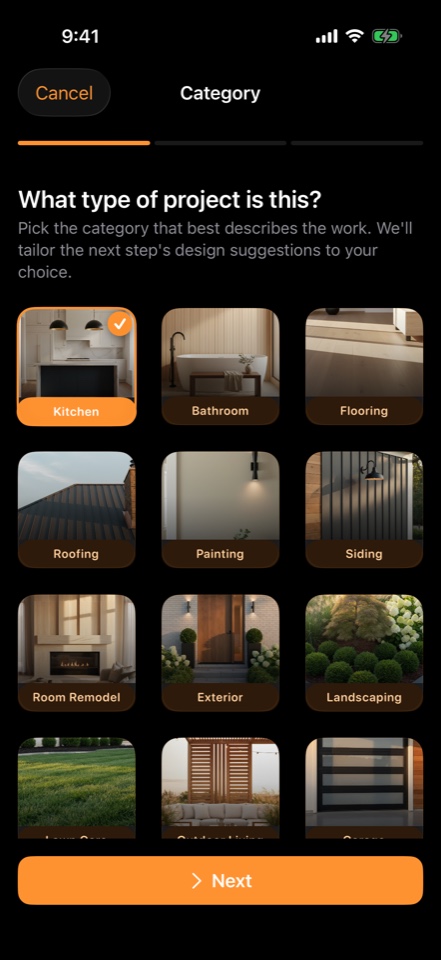
Pick the project
Choose what you're estimating.
Choose your project type — kitchen, bath, roof, siding, painting, landscaping, and more — then use its prompts to guide your preview.
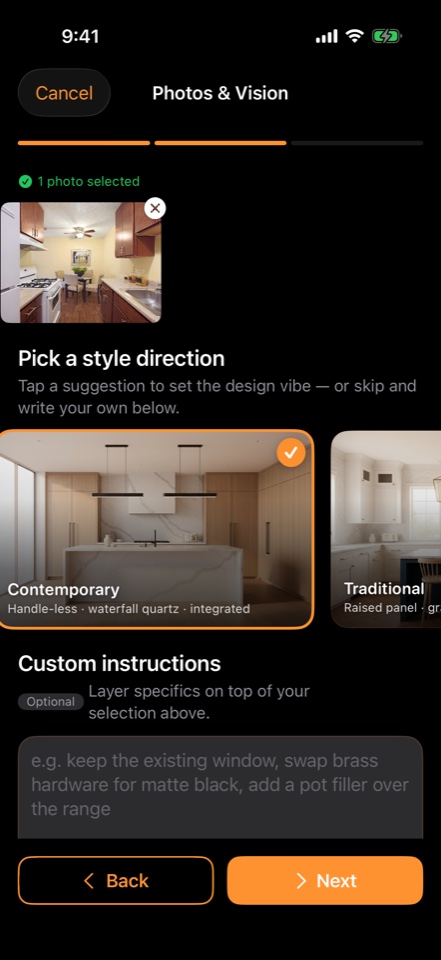
Snap a photo
Upload up to 10 reference photos.
Take photos in-app or pull from your library. Drop a style direction or write a custom prompt — the AI uses both to compose the preview.
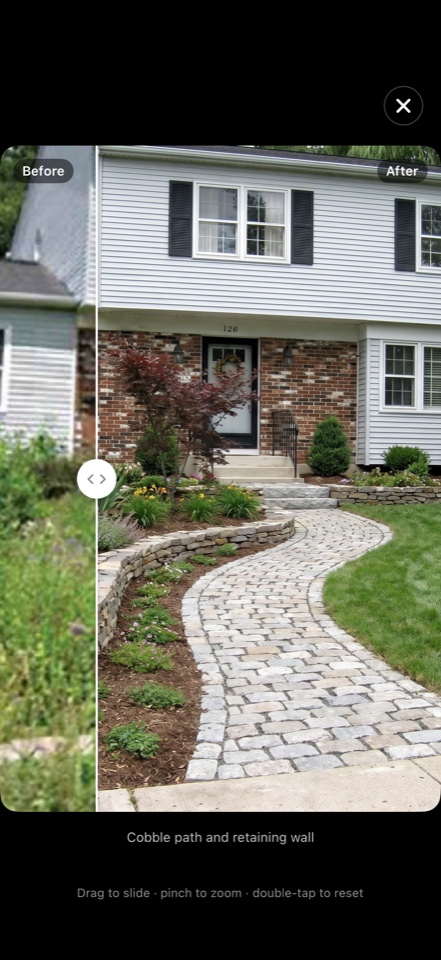
Watch it generate
Photoreal preview in under 60 seconds.
See a before/after preview that holds the layout while showing your renovation. Slide to compare, pinch to zoom, double-tap to reset.
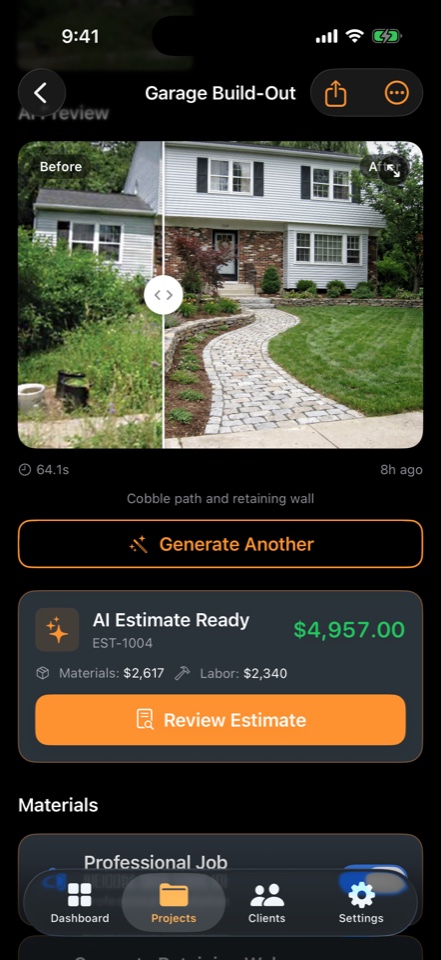
Send the proposal
Hand off a contractor-grade estimate.
Materials and labor priced automatically, every line linked to a supplier. Edit line items, apply your branding, send a client-approval link, then convert to invoice.
The deliverable
Real estimates. Branded PDFs. Sent in seconds.
This is an actual landscape install estimate generated by the app — before / after photos on the cover, every line itemized, tax and totals computed automatically.
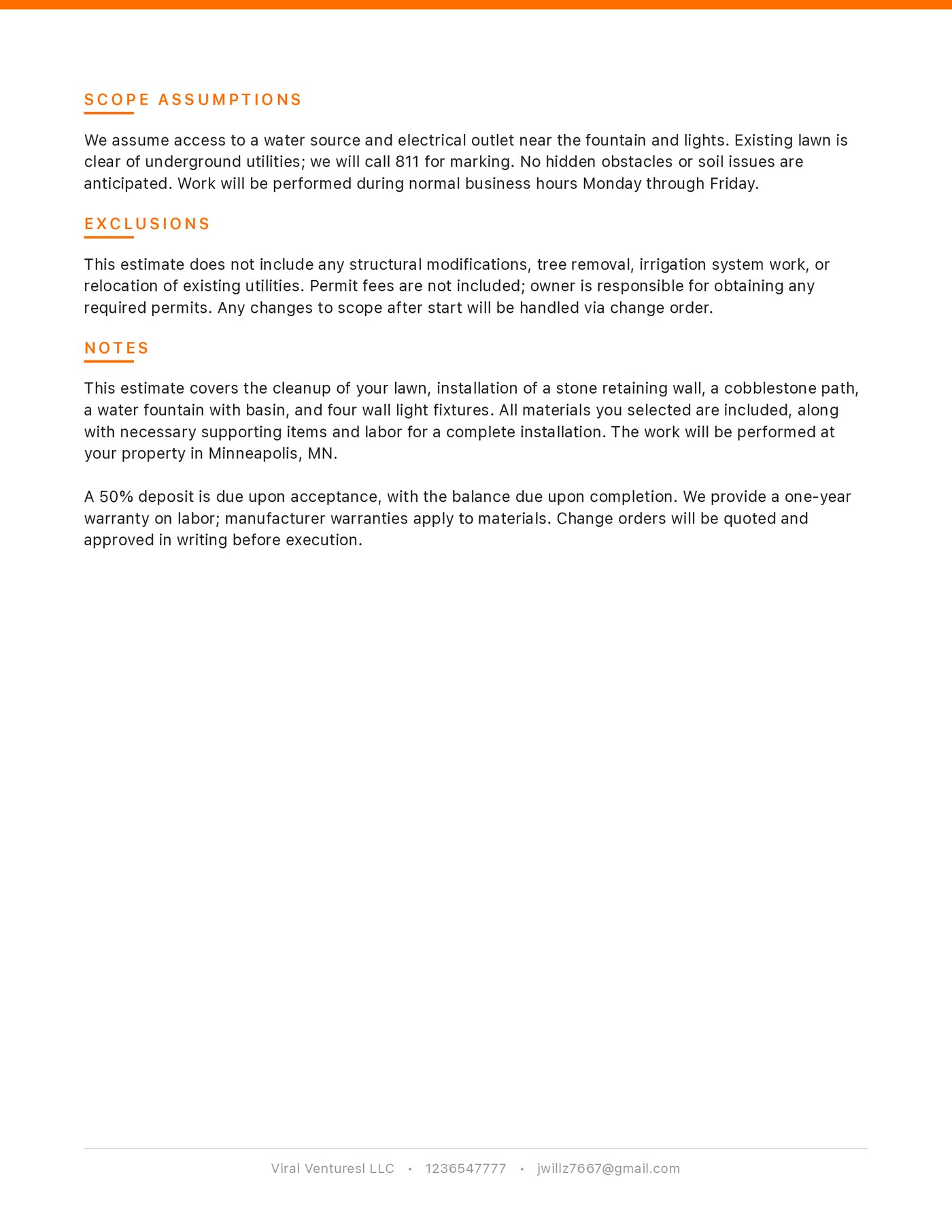
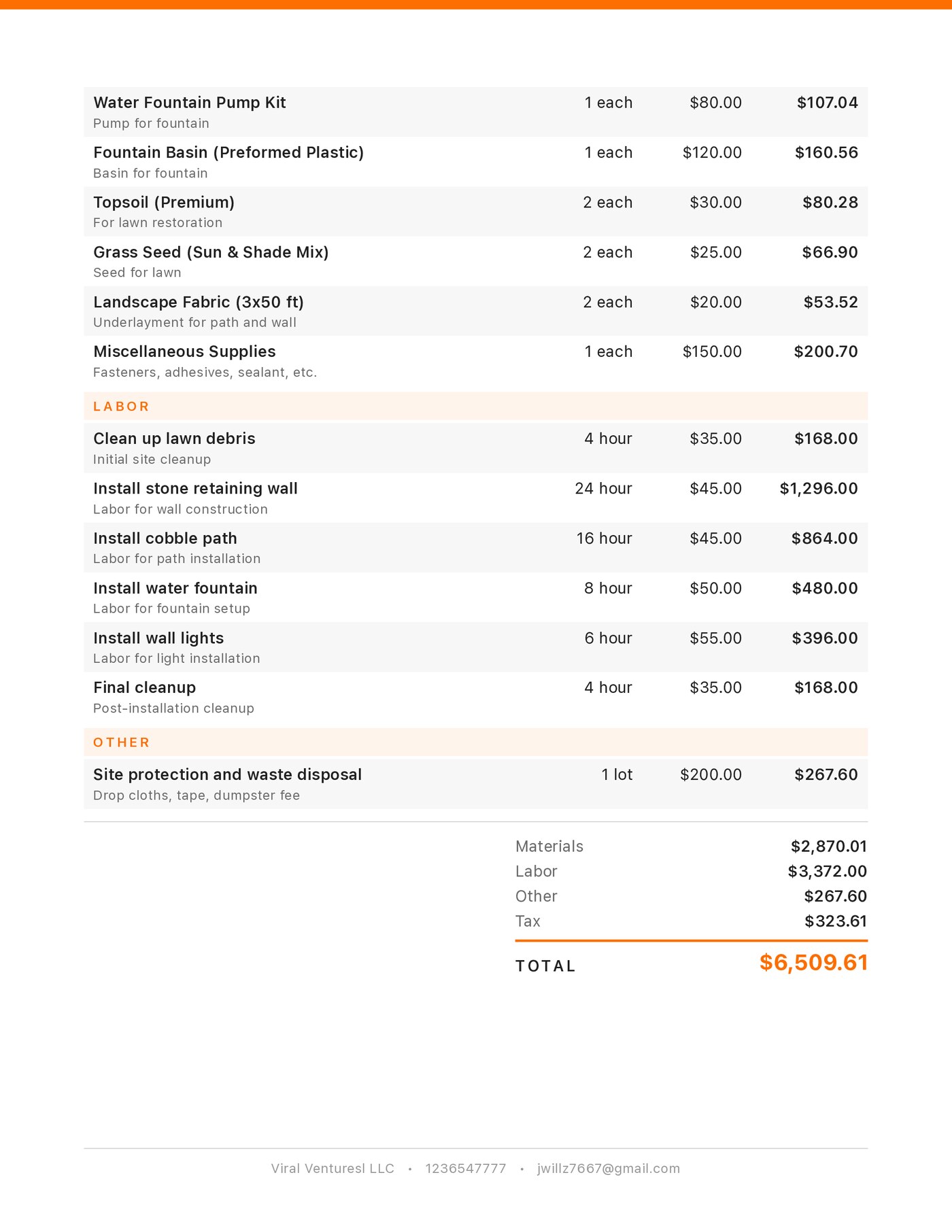
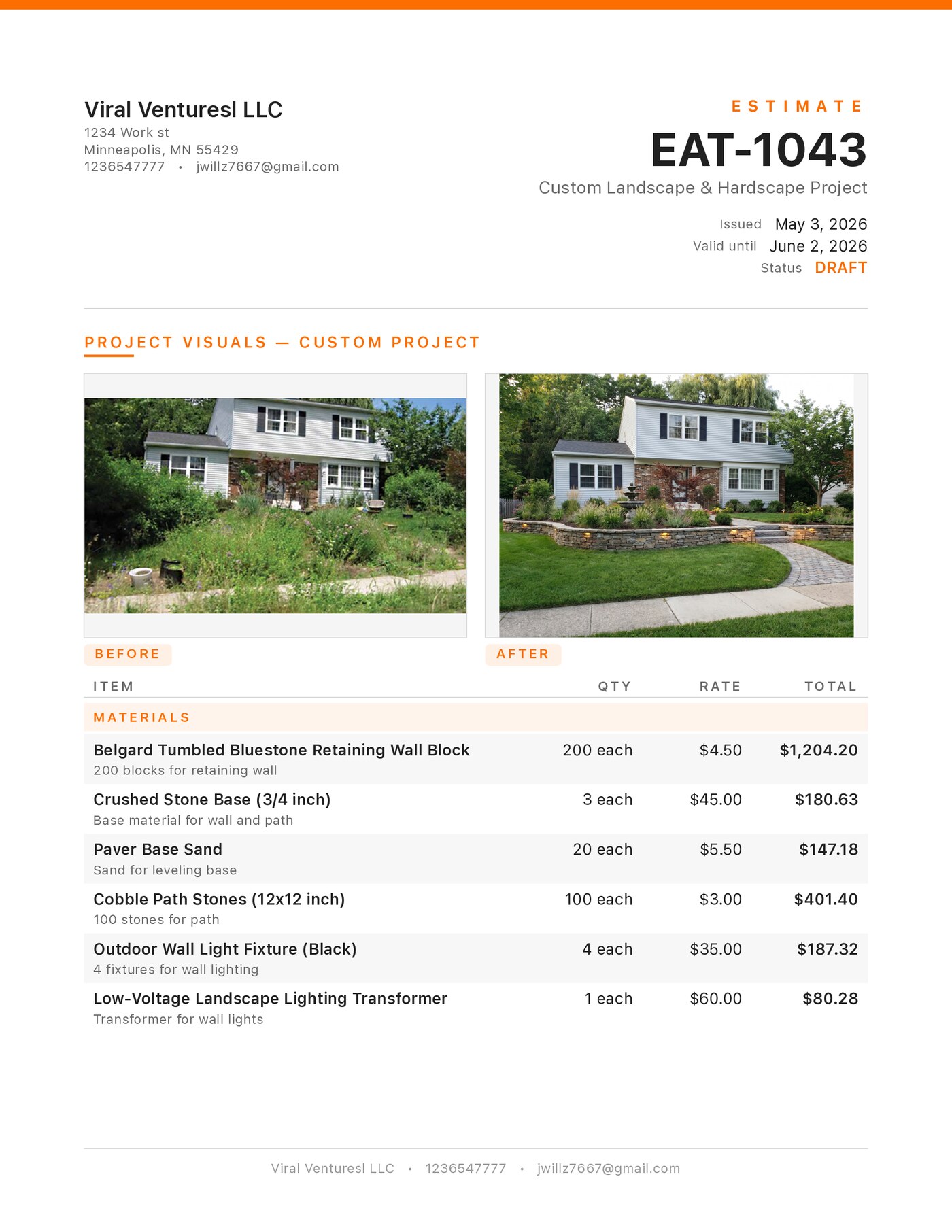
EAT-1043 · Landscape Install
The contractor uploaded one photo of an overgrown front yard, picked a style direction, and walked away with this proposal in under a minute. No spreadsheets. No back-office.
- AI-generated before / after on the cover
- Itemized materials with descriptions and unit cost
- Labor hours and equipment rentals separated
- Auto-calculated tax based on your company profile
- Scope, exclusions, and warranty in plain language
3 pages · opens in a new tab
The whole app, on every screen
Designed for the field. Built like Apple software.
Apple Liquid Glass surfaces, type that scales for accessibility, full Dark Mode and Spanish localization out of the box.
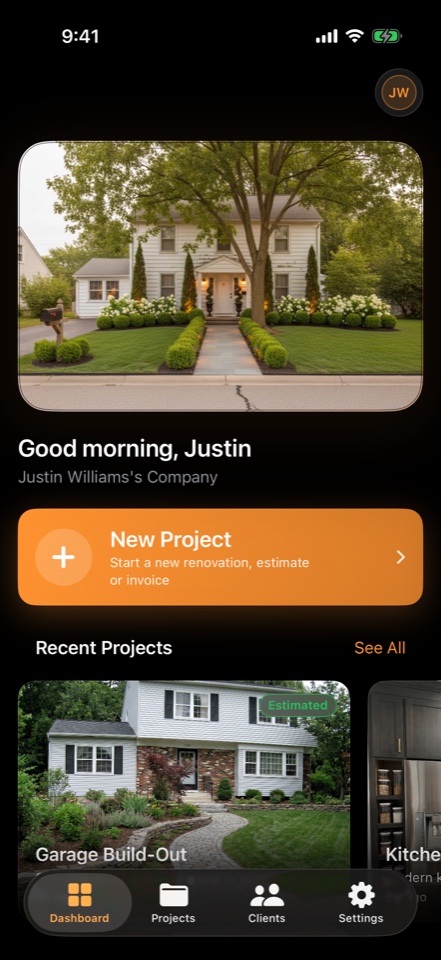
Dashboard
Active projects, recent generations, and one-tap new project.
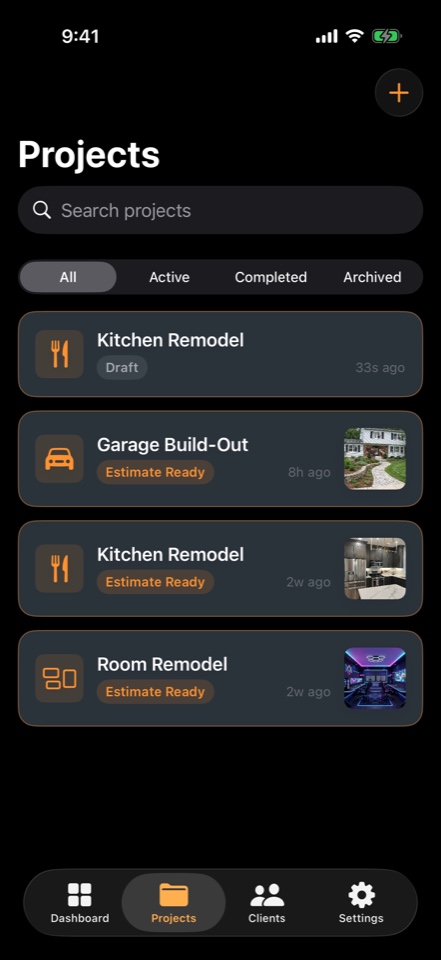
Projects
Every job at a glance — drafts, estimate-ready, in-flight, archived.
Project type
Project categories with prompts tailored to your remodel.
Photos & vision
Up to 10 reference photos plus a style direction or custom prompt.
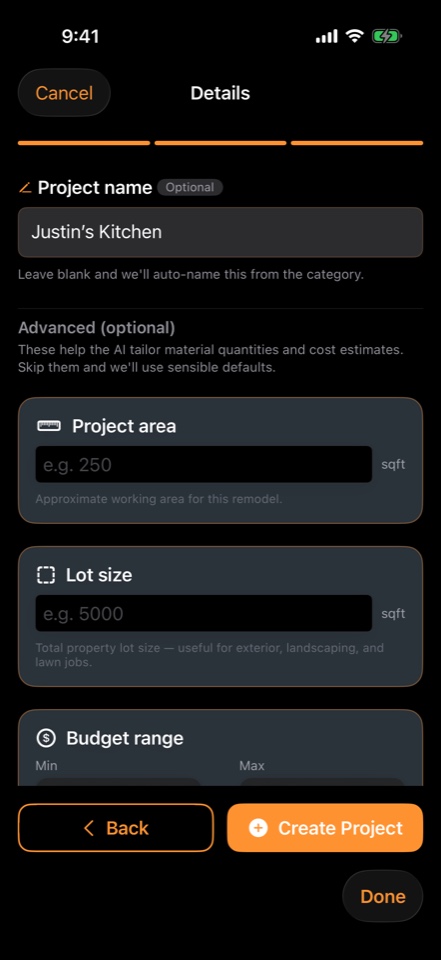
Project details
Optional area, lot size, and budget tune the AI's quantity math.
AI preview
Photoreal before/after with pinch-to-zoom and slide-to-compare.
Estimate ready
Materials, labor, and markup priced — sign off in seconds.
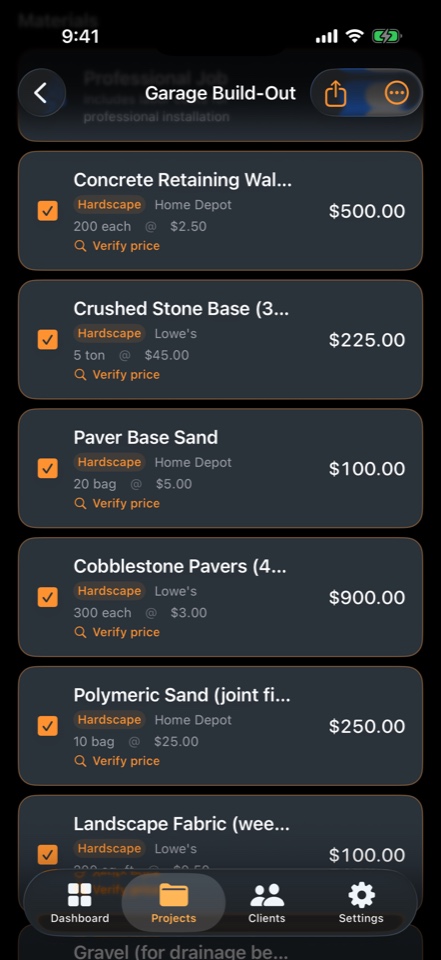
Materials
Each line linked to a real supplier with a one-tap price-verify.
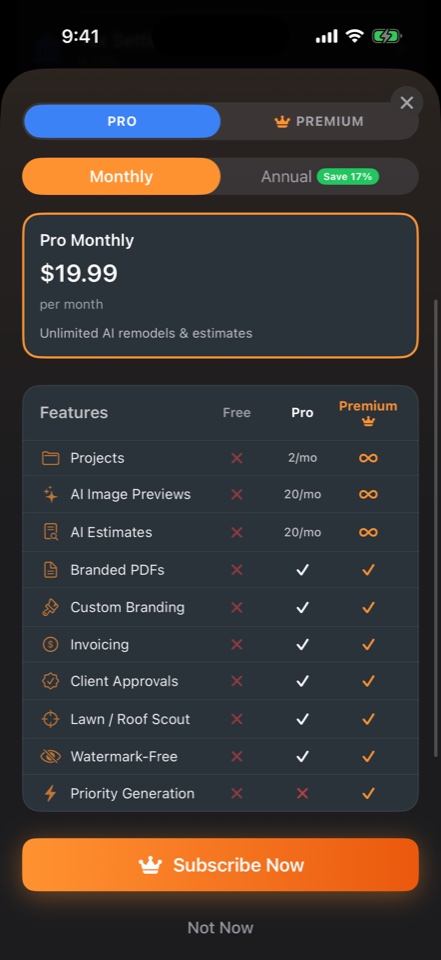
Plans
Start free or choose Pro with monthly or annual billing.
Simple pricing
Start free. Upgrade when you need more.
Keep manual project tools free. Eligible subscribers can try Pro for three days, with AI previews, estimates and clear usage limits.
Free
Try the workflow on your first project.
- Manual estimating tools
- Project, client & photo library
Pro
For solo contractors quoting weekly.
Annual billing also available. See your App Store price.
- 20 AI previews / month
- 20 AI-generated estimates / month
- 50 quote exports / month
- Branded PDFs (your logo + colors)
- Client approval share links
- Material supplier links in exports
- Invoices & proposals
- Watermark removed, hi-res preview
Subscriptions auto-renew until canceled. Manage from your Apple ID settings. 3-day free trial offered to eligible new Pro subscribers. Daily and weekly usage limits also apply. App Store pricing is final.
Your next quote, in the time it takes to take a photo.
Manual project tools are free. AI features require Pro or an eligible three-day App Store trial.